Zillow Mortgage Affordability Calculator: How To Use It
The Zillow mortgage affordability calculator is one of the most popular tools homebuyers use to get a quick estimate of how much house they can afford. You plug in your income, debts, and down payment, and it spits out a number. Simple enough. But that number can be misleading if you don't understand what's behind it, and what it leaves out.
As a mortgage broker with over 25 years of experience and more than $150 million in funded loans, I can tell you that online calculators are a solid starting point, not a finish line. At David Roa, we work with homebuyers every day who came in with a Zillow estimate that was either too conservative or dangerously optimistic. The gap between a calculator's output and an actual loan approval depends on factors these tools don't fully account for, your loan program, local taxes, and real lender guidelines, to name a few.
This guide walks you through exactly how to use Zillow's affordability calculator step by step, what each input means, and where you need to look beyond the tool to get an accurate picture of your buying power. Whether you're a first-time buyer or an investor scoping out your next property, you'll leave with a clear understanding of both the calculator's strengths and its blind spots.
What the calculator does and what you need
The Zillow mortgage affordability calculator works by applying a version of the debt-to-income (DTI) ratio, which is the same basic framework lenders use to decide how much they'll loan you. You enter your gross monthly income, your monthly debt payments, and your down payment amount. The tool then applies a target DTI threshold, typically around 36% to 43% of your gross income, to estimate the maximum monthly payment you can handle, and from there it back-calculates a home price range you can use while browsing listings.
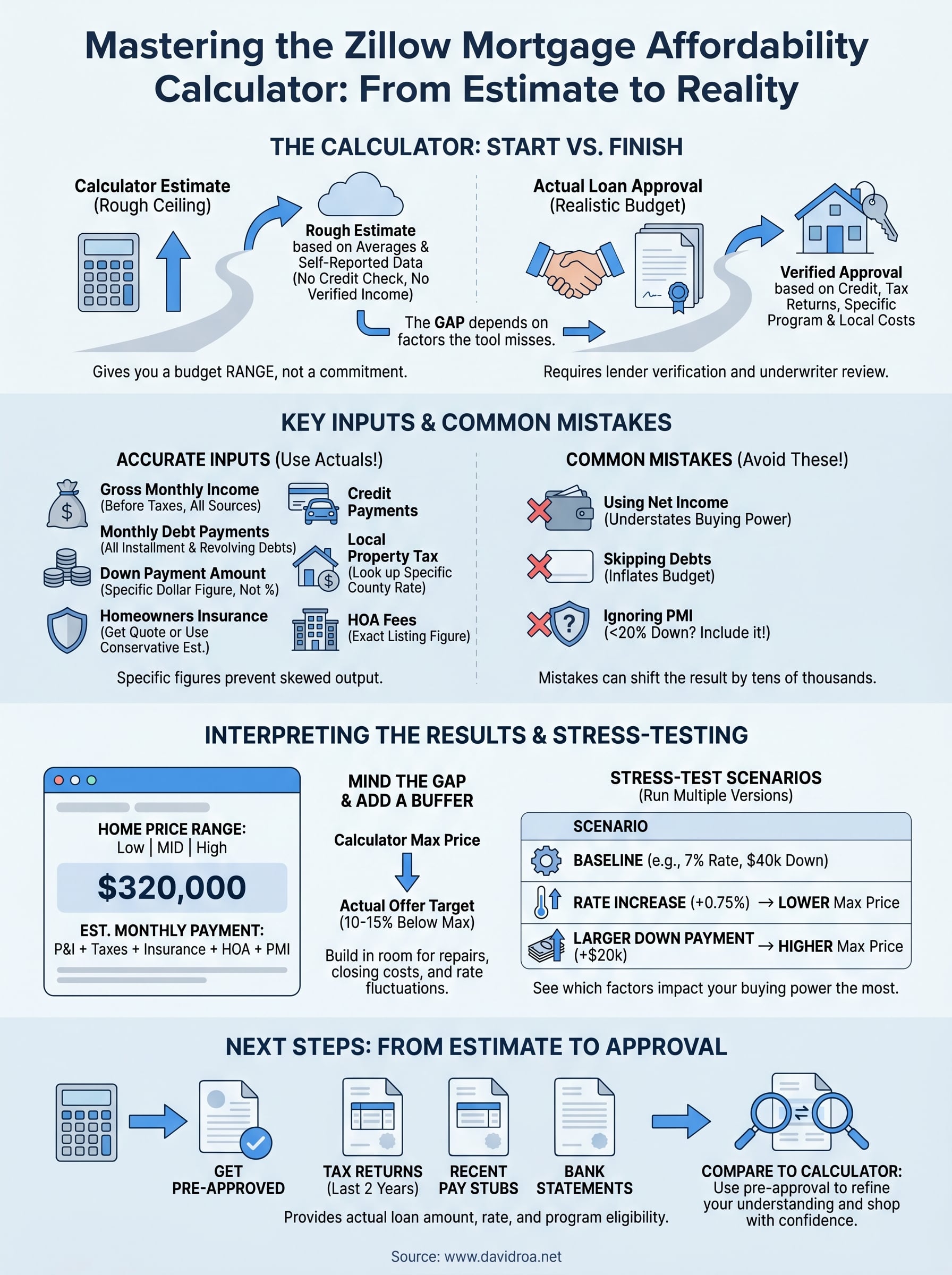
What the calculator produces is a rough ceiling, not a guaranteed loan amount. It doesn't pull your credit score, verify your employment history, or account for the specific loan program you qualify for. Those factors shift the real number significantly. A buyer with a 620 credit score pursuing a conventional loan will face tighter limits than someone who qualifies for an FHA loan with a 580 score, even if their income and debts look identical inside the calculator.
The calculator gives you a budget range to explore listings with, not a commitment from any lender.
How the calculator estimates your buying power
Zillow's tool runs two core calculations under the hood. The front-end ratio looks at your projected housing costs, including principal, interest, taxes, insurance, and any HOA fees, as a percentage of your gross monthly income. The back-end ratio adds all your other monthly debt payments, such as car loans, student loans, and credit card minimums, to that housing cost figure. Most conventional loan guidelines want your back-end DTI below 43%, though some programs allow up to 50% with strong compensating factors like significant cash reserves.
The calculator also defaults to certain national assumptions about interest rates, property tax rates, and homeowners insurance costs. These defaults are averages that can be far off for your specific market. A home in a high-tax state like Illinois carries property tax costs that blow past the default estimate, which directly shrinks your real buying power in ways the baseline output won't reflect until you manually adjust those fields.
What you need to have ready before you start
Before you open the calculator, pull together the following numbers so you're not guessing mid-session and skewing the output:
| Item | What to use |
|---|---|
| Gross monthly income | Total before taxes; include all sources such as salary, self-employment, and rental income |
| Monthly debt payments | Car loans, student loans, minimum credit card payments, and personal loans |
| Down payment amount | The actual cash you plan to put down, not a rough percentage |
| Target interest rate | Use a recent quote from a lender rather than a headline rate |
| Annual property tax estimate | Look up the specific rate for your target city or county |
| Homeowners insurance estimate | Budget between $1,200 and $2,000 per year as a starting point |
| HOA fees | Pull the actual monthly figure from the listing, if applicable |
Having accurate inputs is what separates a useful estimate from a number that steers you toward homes you can't actually close on. If you're self-employed, use your net income after business deductions because lenders will rely on your tax returns to verify income, not your gross revenue. One wrong figure, particularly on your monthly debts, can shift the result by tens of thousands of dollars in home price before you've even spoken to a lender.
Step 1. Open the Zillow affordability calculator
The Zillow mortgage affordability calculator lives directly on Zillow's website, and you can reach it without creating an account or signing in. Go to zillow.com, scroll to the bottom navigation menu, and look for the "Mortgage calculators" link under the "Financing" or "Buying" section. Alternatively, type "Zillow affordability calculator" directly into your browser search bar and click the first result. The direct page is typically found at zillow.com/mortgage-calculator/house-affordability.
How to navigate to the right tool
Zillow offers several calculators on its platform, including a basic mortgage payment calculator and a refinance calculator. You want the affordability calculator specifically, which asks about your income and debts rather than just a home price. The payment calculator does the reverse math, starting from a property price and showing you a monthly cost. The affordability calculator starts from your financial picture and works toward a home price range, which is what you need at this stage.
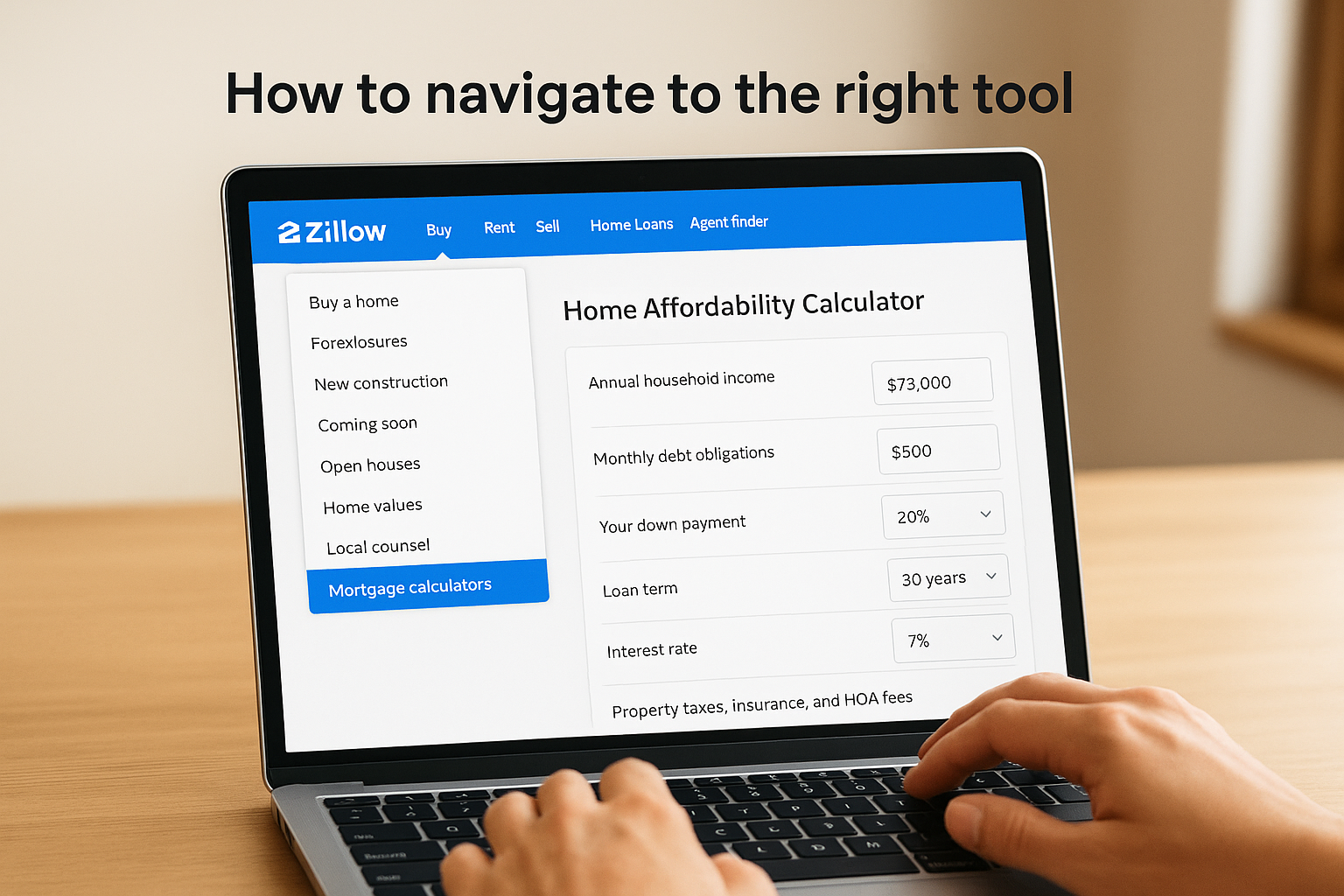
Follow these steps to land on the correct page:
- Open your browser and go to zillow.com
- Click the "Buy" menu at the top of the homepage
- Select "Mortgage calculators" from the dropdown
- Choose "How much can I afford?" from the list of calculator options
- Confirm the page title reads "Home Affordability Calculator" before entering any data
Double-check that you're on the affordability calculator and not the monthly payment calculator, because the two tools ask for completely different inputs and produce very different outputs.
What you'll see when the page loads
The affordability calculator interface is split into two sections. The left side contains input fields where you enter your financial details, and the right side displays a dynamic results panel that updates in real time as you type. At the top of the input panel, you'll see fields for annual household income and monthly debt obligations. Below those are fields for down payment, loan term, and interest rate, followed by a collapsible section for property taxes, insurance, and HOA fees.
Before you start typing numbers, spend a moment reviewing the pre-filled default values Zillow loads into the interest rate and tax fields. Those defaults are national averages, and they likely don't match your specific situation. You'll adjust those in later steps, but being aware of them now prevents you from misreading the initial estimate as accurate for your market.
Step 2. Enter income, debts, and down payment
With the page loaded, you're ready to fill in your financial details. The Zillow mortgage affordability calculator asks for your annual household income first, which should be your combined gross income before taxes if you're buying with a partner. Do not use take-home pay here; lenders qualify you on gross income, and entering net income will understate your buying power before you've even looked at a single listing.
How to enter your income correctly
Type your total annual gross income into the income field. If you have multiple income sources, add them together: salary, rental income, freelance work, or documented side business revenue. Keep in mind that lenders verify income through tax returns and pay stubs, so if a source of income doesn't appear on your last two years of returns, leave it out of the calculator. An inflated income figure produces a budget ceiling you won't be able to reach when an underwriter reviews your file.
Only count income you can document, because a lender will disqualify amounts you cannot verify on paper.
How to enter your debts and down payment
Move to the monthly debt payments field and enter the sum of your minimum required payments across all open accounts. This includes car loans, student loans, personal loans, and minimum credit card payments. Do not include utilities, streaming subscriptions, or grocery costs, because lenders only count installment and revolving debt obligations that appear on your credit report. Adding non-credit expenses inflates your apparent debt load and shrinks the calculator's output below what you'd actually qualify for.
Use this checklist to make sure you capture every payment that belongs in the field:
- Car loan minimum monthly payment
- Student loan minimum monthly payment
- Personal loan minimum monthly payment
- Minimum required credit card payments (the minimum, not your typical payment)
- Any other installment loan payments showing on your credit report
Once your debts are in, enter your down payment amount in dollars rather than a percentage. If you plan to put 10% down on a $400,000 home, type $40,000. A specific dollar figure produces a more precise output than a rounded percentage. If you're still deciding on a down payment size, start with your most realistic number and run additional scenarios in Step 5 after you understand the baseline result.
Step 3. Adjust taxes, insurance, HOA, and PMI
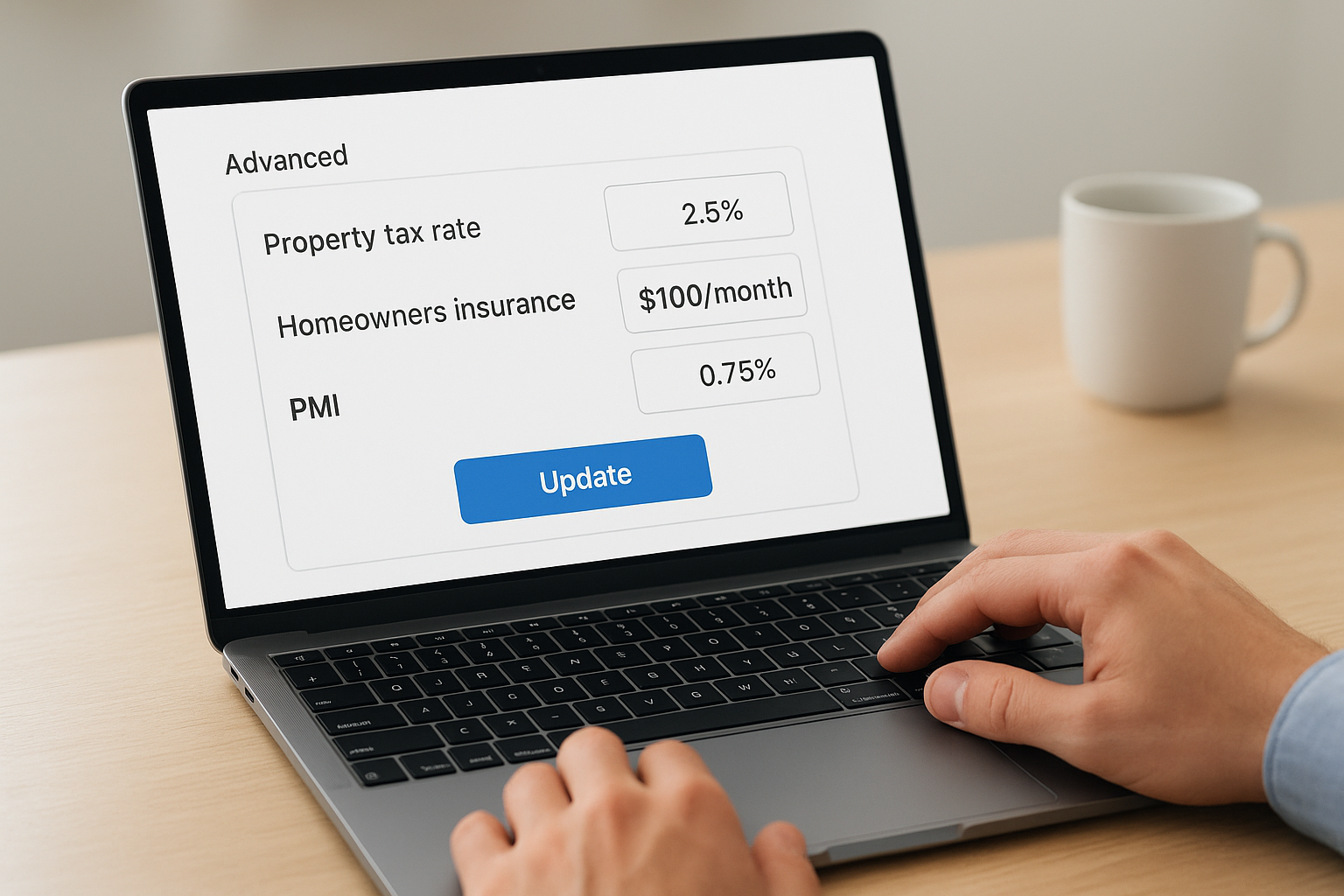
This step is where most buyers leave money on the table, or overestimate their budget, because they accept the Zillow mortgage affordability calculator's default values without checking them against reality. The defaults Zillow loads for property taxes, homeowners insurance, and PMI are national averages that can be off by hundreds of dollars per month depending on where you're buying. Adjusting these fields takes less than five minutes and can shift your estimated home price range by $30,000 or more.
Why the defaults are wrong for your market
Property tax rates vary dramatically from one county to the next. The national average hovers around 1.1% of a home's assessed value annually, but in Cook County, Illinois, rates regularly run between 2% and 3%. That difference on a $400,000 home means roughly $350 to $750 more per month in taxes than the default estimate assumes. Homeowners insurance also swings widely by state and ZIP code, with coastal and storm-prone regions carrying premiums two to three times the national average.
Accepting default tax and insurance figures in any affordability calculator is one of the fastest ways to build a budget that falls apart the moment you get an actual loan estimate.
PMI, or private mortgage insurance, applies when your down payment is below 20% on a conventional loan. Zillow's default PMI rate sits around 0.5% to 1% of the loan amount annually. Your actual rate depends on your credit score and loan-to-value ratio, so a buyer with a 680 score putting 5% down will pay more than the default suggests.
How to find accurate figures and enter them
Pull the correct numbers before adjusting the calculator fields. Use the following sources to find reliable local data:
| Field | Where to get the accurate figure |
|---|---|
| Property tax rate | Your target county's assessor website or the listing's tax history on Zillow |
| Homeowners insurance | Get a quick quote from your current insurer or use $150/month as a conservative starting point |
| HOA fees | Pull the exact monthly figure from the property listing |
| PMI rate | Ask a lender for your expected rate based on your credit score and down payment |
Once you have those numbers, click the "Advanced" or "More options" section within the calculator to expand the additional fields. Enter each figure individually rather than leaving any field on its default. Your monthly payment estimate will update in real time, giving you a much more accurate ceiling before you move on to reading the results.
Step 4. Understand the results and your true budget
Once your inputs are in, the Zillow mortgage affordability calculator displays a home price range on the right side of the screen, typically shown as a low, mid, and high estimate. The mid-range figure is the one most buyers focus on, but understanding what each number represents, and what sits underneath it, determines whether you walk away with useful information or a false sense of security.
What the results panel actually shows you
The results panel breaks your estimated budget into three components: the maximum home price, the projected monthly payment at that price, and a summary of how your DTI ratio looks against the inputs you provided. Zillow color-codes the DTI display to signal whether your debt load is comfortable, stretched, or beyond typical lender thresholds. Use that color indicator as a quick gut check before you go further.
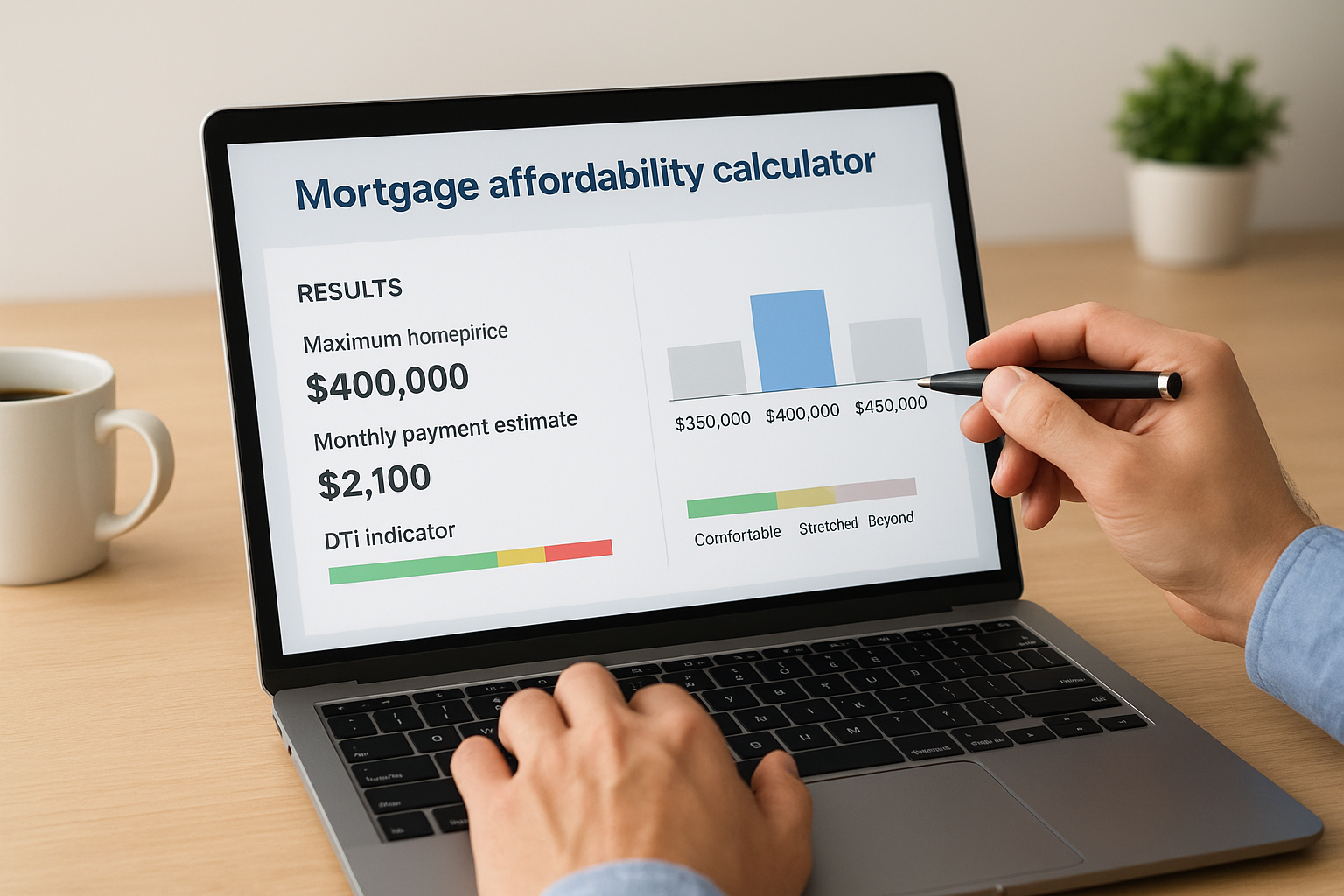
The table below explains what each part of the results panel means in practical terms:
| Result field | What it means |
|---|---|
| Home price range | The price ceiling based on your income, debts, and down payment |
| Monthly payment estimate | Principal, interest, taxes, insurance, and HOA combined |
| DTI indicator | Whether your debt load falls within typical lender guidelines |
| Down payment percentage | How much of the purchase price your down payment covers |
The gap between the calculator's ceiling and your real budget
The number Zillow shows you is a mathematical ceiling based on averages, not a lender's decision. Your actual approval amount depends on your credit score, employment history, the specific loan program you use, and the underwriting guidelines of the lender you choose. A buyer with a 740 credit score will qualify for a lower interest rate than the calculator's default, which shifts their real monthly payment below the estimate and can unlock a higher purchase price in practice.
Treat the calculator's output as a starting range to guide your home search, not as the number you bring to a listing appointment.
Your true budget also needs a buffer built into it. Buying at the absolute ceiling of what a tool calculates leaves no room for unexpected repairs, closing costs, or a rate that comes in slightly higher than assumed. A practical rule: keep your actual offer target 10% to 15% below the calculator's maximum so you have breathing room when real costs enter the picture.
Step 5. Stress-test scenarios and avoid common mistakes
Running a single estimate and stopping there is one of the most common ways buyers misuse the Zillow mortgage affordability calculator. A single scenario tells you what your budget looks like under one set of assumptions. Running multiple scenarios shows you how sensitive your buying power is to changes in rate, down payment, or debt, which is the information that actually protects you when market conditions shift before closing.
How to run scenario comparisons
Start with your baseline result from Step 4, then change one variable at a time and record the new home price output. This approach isolates the impact of each factor so you understand exactly what's moving your number. Keep a simple log like the one below to compare results side by side:
| Scenario | Rate | Down payment | Monthly debt | Max home price |
|---|---|---|---|---|
| Baseline | 7.0% | $40,000 | $600 | $320,000 |
| Rate increase | 7.75% | $40,000 | $600 | $295,000 |
| Larger down payment | 7.0% | $60,000 | $600 | $340,000 |
| Pay off car loan | 7.0% | $40,000 | $200 | $355,000 |
Test at least three versions: one where the interest rate rises by 0.75%, one where you increase your down payment by $20,000, and one where you eliminate your largest monthly debt payment. Those three scenarios give you a realistic range and show which lever, rate, savings, or debt payoff, moves the needle most for your specific situation.
Common mistakes that skew the output
Using net income instead of gross income is the most frequent error buyers make, and it pushes the estimated price range far below what they'd actually qualify for. Lenders work from gross figures, so the calculator should too. The second most common mistake is leaving monthly debts blank or entering only the debts you remember off the top of your head, which produces an inflated budget that collapses the moment a lender pulls your full credit report.
Never submit an offer based on a calculator estimate alone; verify your actual approval amount with a lender before you negotiate a purchase price.
Ignoring PMI is another error that costs buyers meaningful monthly budget. Skipping the PMI field when your down payment is below 20% on a conventional loan means every monthly payment estimate the tool generates is understated by $100 to $300, which directly inflates the home price range to an unreachable level.
Next steps to move from estimate to approval
The Zillow mortgage affordability calculator gives you a solid foundation, but your next move is getting a real pre-approval letter from a licensed lender. That document carries actual weight when you submit an offer on a home, and it tells you exactly what loan amount, rate, and program you qualify for based on verified documents rather than self-reported estimates. Pull your last two years of tax returns, recent pay stubs, and bank statements before you contact a lender so the process moves quickly.
Once you have your pre-approval in hand, revisit your calculator results and compare them against the lender's number. The gap between the two reveals exactly which inputs you had right and which assumptions need adjusting. From there, you can shop with confidence knowing your budget is grounded in reality. If you want experienced guidance on which loan program fits your situation, reach out to David Roa to get started.
